Ghost Rider - Halloween Omni Wheel Robot. The Morning Set

Ghost Rider - Halloween Omni Wheel Robot. The Morning Set

8+ Camps

VAT inc
Available for: 8+ years old 

5 days, from 19 Oct'26 - 23 Oct’26

Start at 9.00 until 12.00

Request Info

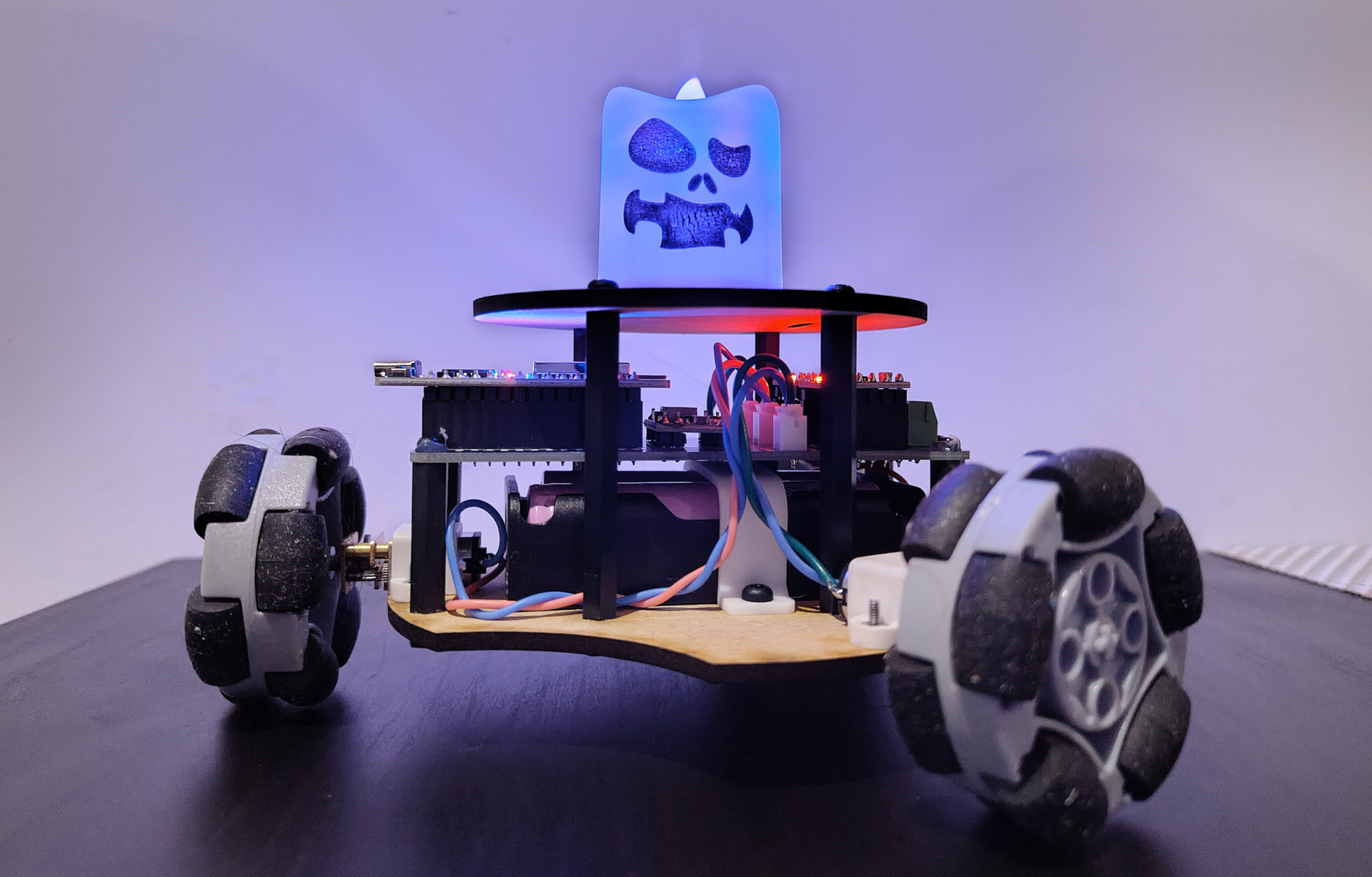
Ghost Rider is a Halloween robotics project for young makers aged 8-11. In this project, children build and program a small robotic car that carries a spooky electric ghost candle. The robot can move forward and backward, turn around, and even slide sideways thanks to its three special omni wheels.


Students use Robium Code, our block-based programming environment, to control the robot step by step. They learn how to send movement commands, control motors, and combine simple blocks into a working program. Instead of only watching a robot move, children build the logic themselves and see immediately how their code changes the robot’s behaviour.


The robot uses three DC motors, motor drivers, an ESP32 controller, and a Bluetooth ring controller. Children explore how wireless control works and how different wheel directions can be combined to create unusual movement. The omni-wheel design makes the project especially exciting: the robot does not move like an ordinary car - it can glide, turn, and change direction in a surprising way.


For the Halloween theme, the robot carries a small plastic electric candle with a ghost face, turning the finished project into a moving "ghost light". This gives the project a fun creative side as well as a technical one.


During the project, students practise building circuits, connecting motors, testing movement, debugging mistakes, and improving their code. They also learn an important engineering idea: when a robot does not move as expected, we test one part at a time, find the cause, and adjust the program or wiring.


By the end of the project, each student will have built a working Bluetooth-controlled Halloween robot and will understand the basic principles behind motor control, wireless commands, and omni-wheel movement.

That is take home project!


The Camp Dates and Time


5 days, from 19 Oct'26 - 23 Oct’26

Start at 9.00 until 12.00


Age: from 8 years old (to 11)


Location


Richmond and Hillcroft Adult Community College.

Parkshot, Richmond TW9 2RE
The closest parking at the Old Deer Park (Extension).
Learning outcomes

  • Understand how omni-wheel robots move

Pupils learn how three omni wheels allow a robot to move in different directions, including forward, backward, turning, and sideways motion.

  • Explore how motors create robot movement

Pupils discover how DC motors drive the wheels and how changing motor direction changes the robot’s movement.

  • Build a complete robotic electronic system

Pupils connect DC motors, motor drivers, an ESP32 controller, batteries, and a Bluetooth controller using a structured wiring diagram.

  • Learn how wireless control works

Pupils use a Bluetooth ring controller to send movement commands to the robot and control it without wires.

  • Understand basic motor control programming

Using Robium Code, pupils create block-based programs that control motor direction, stop the robot, and combine motors for different movements.

  • Discover how wheel coordination affects motion

Pupils experiment with different motor combinations and learn why the robot moves differently when wheels spin in different directions.

  • Learn how embedded software controls real hardware

Pupils see how simple code blocks are translated into electronic signals that make the robot move.

  • Develop engineering and problem-solving skills

Pupils test, debug, and improve their robots by checking wiring, motor direction, wheel alignment, and movement commands.

  • Gain confidence building a creative robotics project

By building their own Halloween-themed Ghost Rider robot, pupils experience how electronics, mechanics, wireless control, and programming combine to create a fun moving robot.

There are some requirements exist for the course:


1. You must be confident in using a computer, keyboard and mouse. At the good user level.


2. Know how we save files on a computer, what a file and folders are, etc.


3. Be able to switch between windows in the operating system. Use the keys’ shortcuts.


4. No previous experience with 3D modeling is required


5. No previous experience Robotics is required.