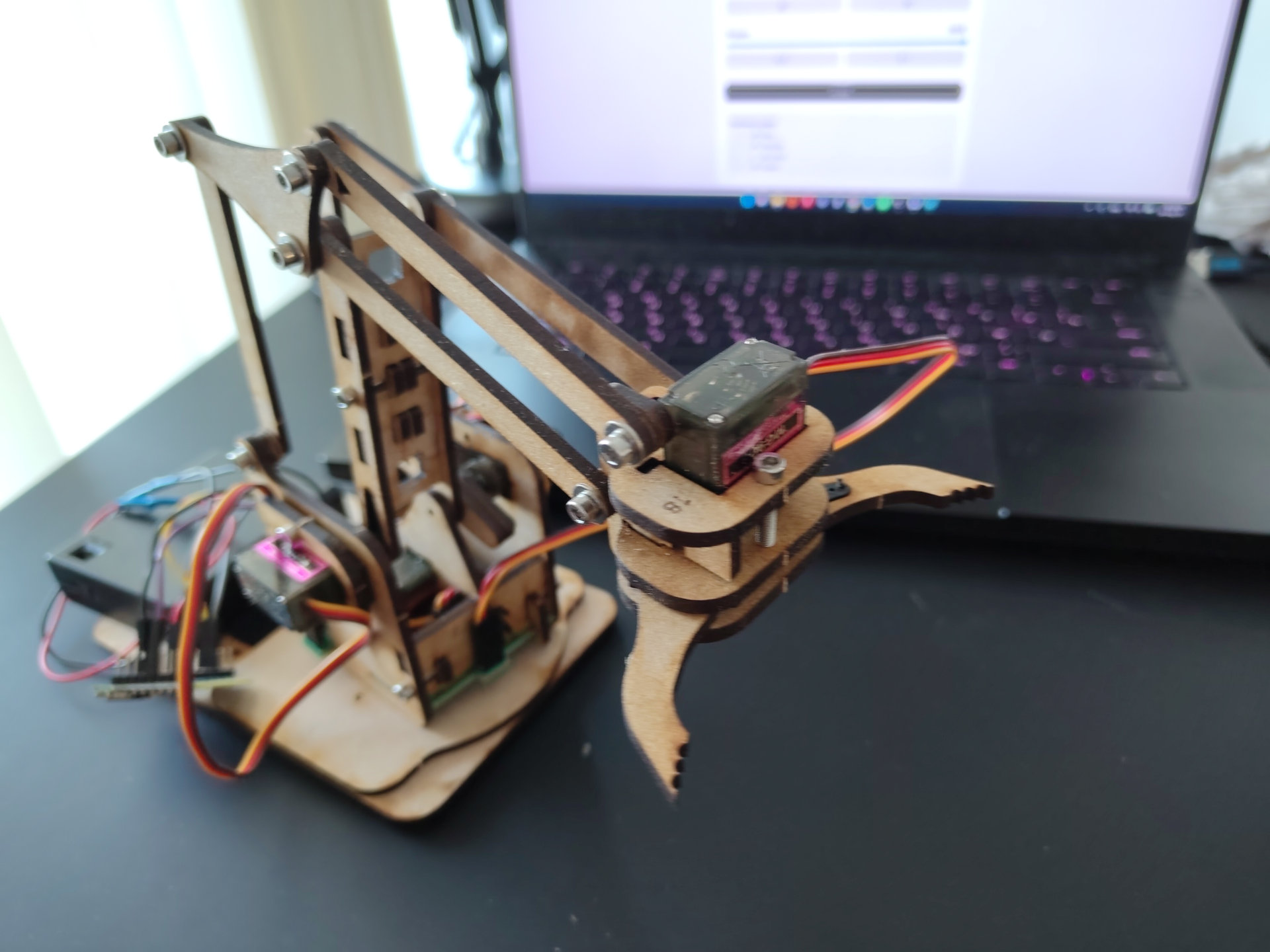
MeArm Wi-Fi Robotic Arm - Robium Editon. Advanced classes
VAT inc
Available for: 11+ years old
5 days, from 26 Oct'26 - 30 Oct’26
From 12.30 until 15.30
MeArm is a four-axis desktop robotic arm designed to introduce students to servo control, embedded programming, and Wi-Fi-based robotic systems.
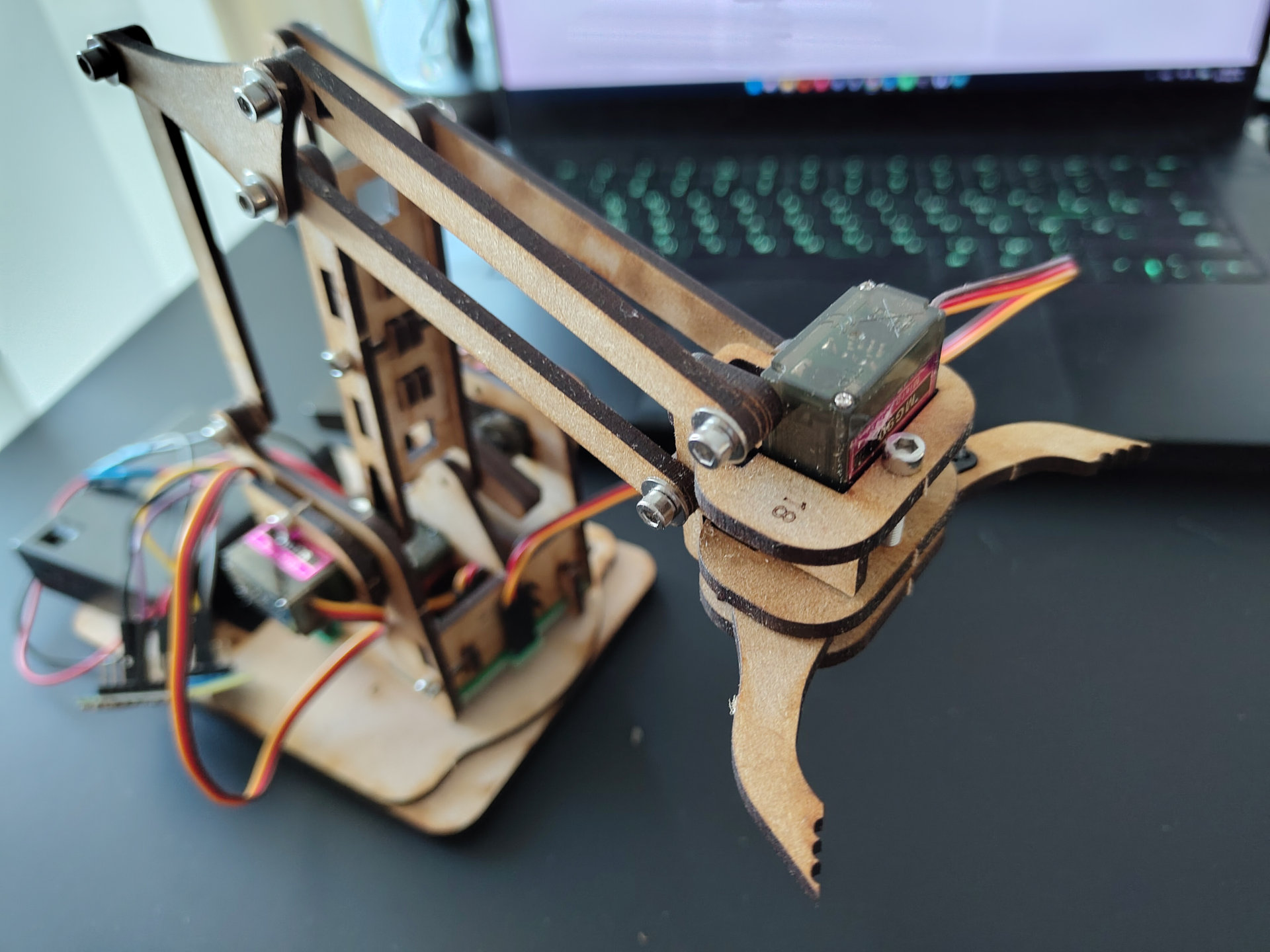
The arm uses four servo motors to control the base, shoulder, elbow, and gripper. Coordinating these joints allows the robot to reach different positions, manipulate small objects, and perform programmed movements.
An ESP8266 microcontroller controls the servos and creates its own Wi-Fi network. A computer or phone can connect directly to the robot and control it through a browser-based HTML interface without requiring an internet connection or external router.
Students program the robot using Arduino C in the Arduino IDE. They work with the Servo library, variables, functions, GPIO pins, angle limits, and commands for controlling individual joints.
The project also introduces basic embedded web control. Students explore how commands from an HTML interface can be received by the ESP8266 and converted into physical servo movements.
During testing, students calibrate each joint, determine safe movement ranges, correct servo direction, and troubleshoot mechanical and software problems.
By completing the project, students gain practical experience with embedded programming, servo-based robotics, Wi-Fi communication, and the relationship between software and mechanical systems.
That is take home project!
The Camp Dates and Time
5 days, from 26 Oct'26 - 30 Oct’26
Start at 12.30 until 15.30
Age: from 11 years old (to 17)
Location
Richmond and Hillcroft Adult Community College.
Parkshot, Richmond TW9 2RE
The closest parking at the Old Deer Park (Extension).
Learning outcomes
-
Understand multi-joint robotic arm movement
Students learn how the base, shoulder, elbow, and gripper combine to control the position of a robotic arm. -
Control servo motors using Arduino C
Students use the Servo library and write code to command specific servo positions. -
Work with GPIO and embedded hardware
Students connect multiple servo motors to an ESP8266 and understand how control signals are assigned to GPIO pins. -
Create structured robotic control software
Students use variables, functions, and reusable commands to organise the control of multiple joints. -
Understand Wi-Fi-based robot control
Students learn how the ESP8266 can create its own wireless network and communicate with a browser-based interface. -
Connect web commands to physical movement
Students explore how user input from buttons, sliders, and keyboard controls can produce real robotic actions. -
Calibrate robotic joints and movement limits
Students determine safe servo ranges and adapt software settings to the physical mechanism. -
Develop debugging and engineering skills
Students identify problems with wiring, servo direction, movement limits, and code and systematically correct them.
There are some requirements exist for the course:
1. You must be confident in using a computer, keyboard and mouse. At the good user level.
2. Know how we save files on a computer, what a file and folders are, etc.
3. Be able to switch between windows in the operating system. Use the keys’ shortcuts.
4. No previous experience with 3D modeling is required.
5. No previous experience in Robotics is required.
6. You want to program robots and are not afraid to struggle with the difficulties of learning them.
7. Minimum previous experience with text-based programming is required. Ideally, you are able to make a program that performs basic maths operations with numbers. The programming language itself is not important.